How I Turned ChatGPT & Leetcode into My SQL Study Partners
After learning the basics of SQL syntax, I knew the fastest way to improve for me is simple: practice through problem-solving.
LeetCode is one of the best places for that. Most of its SQL questions are based on real interview problems from top tech companies.
If you’re short on time, start with this: SQL 50 Study Plan. It covers roughly 80% of the SQL question types you’ll see in interviews.
Why I Needed a Better System
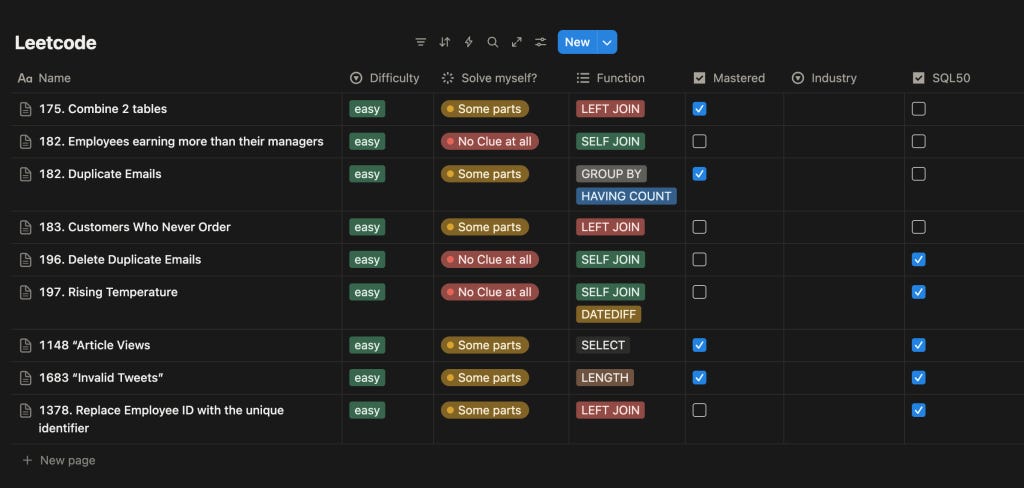
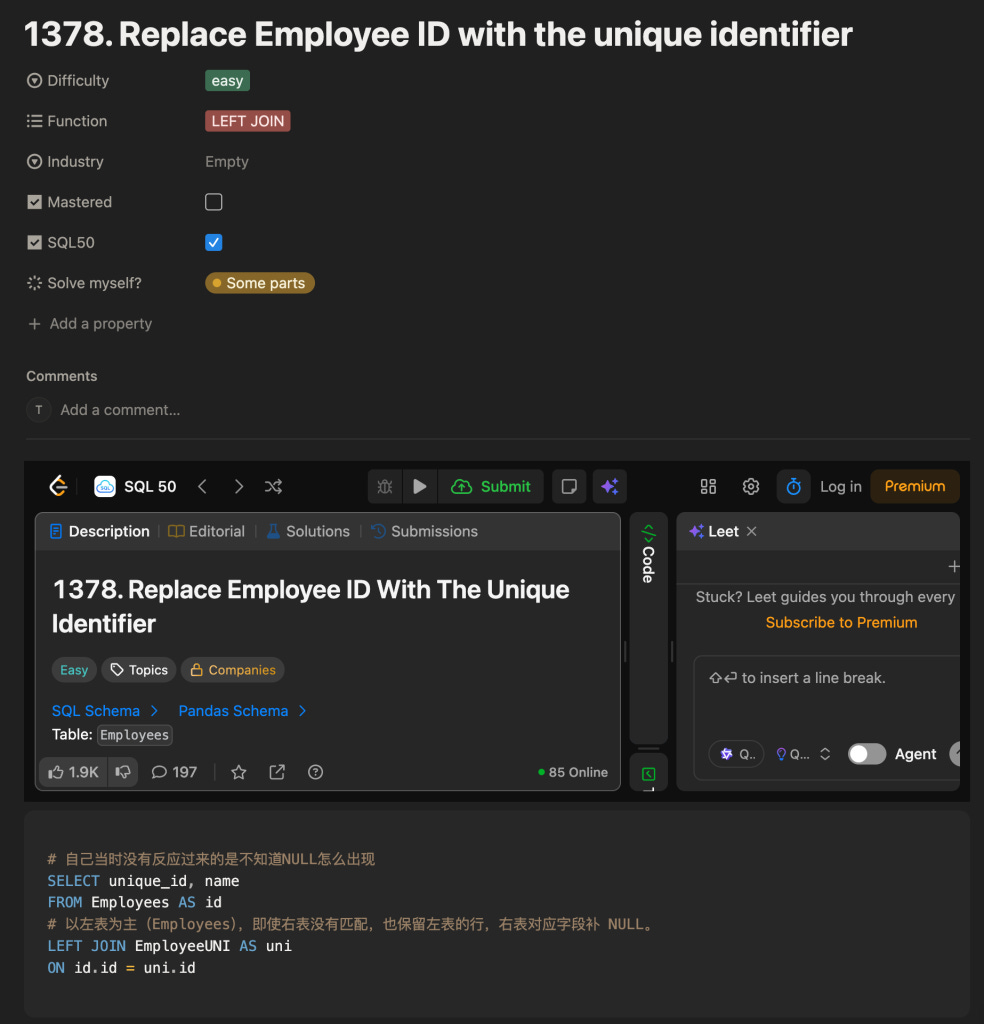
At first, I used Notion to track my mistakes from Leetcode — but I ran into two problems:
Entering and organizing everything took too long.
I couldn’t easily see which topics I struggled with most or revisit similar problems.
The Breakthrough: Memory That Works For You
Then I moved my learning into a ChatGPT Project — and it’s so much better.
With memory and automatic summarization, ChatGPT could help me spot patterns, save notes, and generate personalized review plans.
Heads up: Project features are only available to paid users. If you are a free user, you have to have the “Instruction” prompt in the beginning of each new chat.
Here’s the setup that worked best (so far) 👇
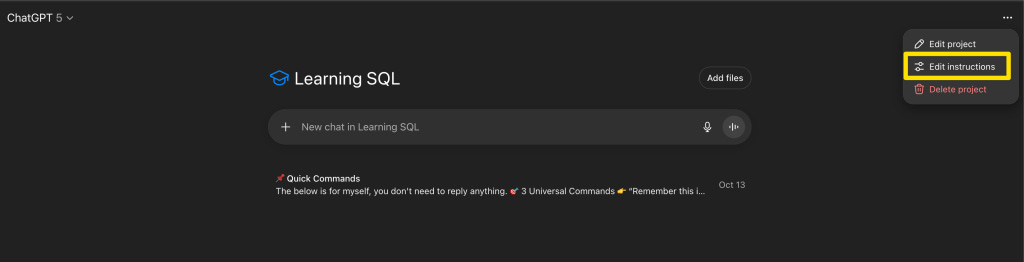
Step 1. Setting Up Your “Learning SQL” Project
Create a new Project called “Learning SQL.”
In the Edit Instructions, paste the following prompt (you need to tailor it to your career goals and target industry):
Instructions Prompt:
You will need to input yourself for those that have strikethrough.
🎯 Goal

Help Ellen systematically master SQL and understand its real-world business applications, to be fully prepared for a data analyst position (especially in AI or Gaming) by March 2025.

🧠 Learning & Collaboration Method

All SQL learning, mistakes, and reviews will take place within this project.

Ellen will provide questions (from LeetCode or custom business scenarios).

My tasks:

Break down the problem-solving approach and key syntax

Identify common mistakes and show optimized solutions

Extract a generalized SQL template

Automatically record each question into the Error Log (with priority level and topic tag)

💡 Business Extension (Real-Life Case)

After each SQL explanation, I will add a short “Real-Life Case” example
to show how this query applies to real-world data tasks — focusing on at least one of these areas:

AI industry: model log analysis, data labeling tracking, conversion monitoring, A/B testing

Gaming industry: player retention, engagement, in-game purchases, mission completion rate

Market Growth / Go-To-Market: user growth funnel, channel conversion, marketing campaign analysis

Example Output:

🏢 Real-Life Case:
This type of SQL is often used in gaming companies to calculate Day-2 retention rate, helping the team identify player churn points and optimize reward mechanics.

📊 Learning Records & Summaries

I will automatically track Ellen’s questions and mistakes within this project.

After each question, I will generate a mini summary automatically (no need for Ellen to ask):

Problem meaning

Key syntax

Common mistakes & improvements

Real-world business application

When Ellen says:

“Summarize today” → I’ll create a daily summary

“Review this week” → I’ll output a structured weekly report, in this format:

🗓️ Weekly Review
📘 Total questions:
❌ Mistakes:
🧠 New SQL concepts learned:
💡 Real-life business use cases:
📈 Areas for improvement:

🔁 Review & Reinforcement

I can automatically generate review questions or similar follow-ups based on Ellen’s record.

Each week, I’ll provide a SQL skills diagnosis and next week’s practice recommendations.

If Ellen says “mock interview”, I’ll create industry-specific SQL interview questions (AI / Gaming / Market Growth) and give scoring + feedback.

🪄 Output Style

Clear logic and step-by-step explanations

Focus on reasoning rather than memorization

Use simple examples and business logic to explain why

When queries are complex, include tables or diagrams to visualize the process

📦 Learning Structure (Automatically Maintained)

SQL Learning

├─ Basic Queries
├─ Aggregation & Grouping
├─ Subqueries
├─ Window Functions
├─ Interview-Focused Questions
├─ Error Log
├─ Real-Life Business Cases (AI / Gaming / Market Growth)
└─ Learning Logs

✅ Summary

This project helps Ellen not just write correct SQL, but also understand the business impact behind each query.

By the end, Ellen will be able to confidently explain why a SQL query matters, what insights it provides, and how it drives value in real-world analytics.
Step 2. Create a “📌 Quick Commands” Chat
To make communication faster, I created a chat in the project and renamed the chat to “📌 Quick Commands.”
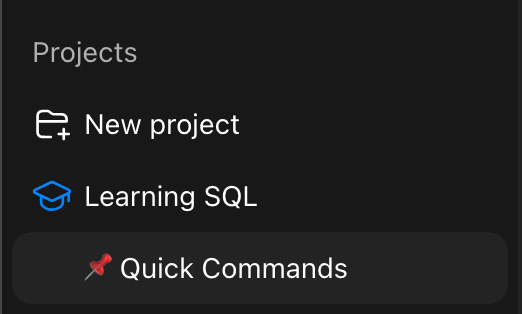
It’s my personal shortcut panel for high-frequency prompts like:
The below is for myself, you don’t need to reply anything.

### 🎯 **3 Universal Commands**

> 👉 “Remember this is an SQL mistake…”
> 👉 “Summarize today / Review this week”
> 👉 “How is this used in real life?”
>

---

## 🧠 **Learning & Practice**

> “Give me an SQL question (window function / aggregation / interview style).”
> “Remember this is an SQL mistake, high priority, window function.”
> “Give me a few similar questions to practice.”
> “List my current high-priority SQL mistakes.”
> “Assess my understanding of window functions.”
> “Give me 3 questions on the topics I’ve been struggling with.”
>

---

## 💼 **Real-World Applications & Industry Scenarios**

> “How would this SQL be used in a real company?”
> “Give me a gaming industry SQL analysis question.”
> “Give me an AI company SQL analysis question.”
> “Give me a Market Growth–related question.”
> “How is this type of SQL typically used in AI / Gaming / Market Growth?”
>

---

## 📊 **Summaries & Reviews**

> “Summarize today.”
> “Review this week.” / “Summarize this week’s SQL learning.”
> “Help me review my mistakes.”
>

---

## 📈 **Progress Tracking & Exports**

> “How’s my current SQL learning progress?”
> “Help me compile an SQL summary suitable for my portfolio.”
>
---

❌ **Delete content:**

> “Delete the SQL mistakes I saved about window functions.”
>
Step 3. Example in Action
After solving a few LeetCode problems, I send my results to ChatGPT like this (remember to use the Study mode):
These are the questions I worked on today:

**Leetcode 1378. Replace Employee ID With The Unique Identifier**
Here’s my answer:

```sql
SELECT unique_id, name
FROM Employees AS id
JOIN EmployeeUNI AS uni
ON id.id = uni.id
```

I didn’t know how to make names without a `unique_id` show up with `NULL`. It didn’t occur to me that I should use a **LEFT JOIN** for that.

**1068. Product Sales Analysis I**
This one wasn’t difficult — I solved it quickly by myself.

**1581. Customer Who Visited but Did Not Make Any Transactions**

I managed to solve it, but not very quickly, and I needed to look up some references. This one can be considered a mistake question.
ChatGPT then:
Analyzes my reasoning and explains what went wrong
Provides an optimized solution
Adds a real-world business use case (AI / Gaming / Market Growth)
Saves and summarizes the mistake for future review
The Results
This setup helps me:
Instantly see all my mistakes and weak spots
Understand how each SQL query applies to real business contexts
Get personalized practice and review plans without extra effort
Try It Yourself
Here’s your starter pack:
Begin with LeetCode SQL 50
Create your own “Learning SQL” Project
Copy the prompts above and customize for youself
Let ChatGPT track, summarize, quiz, and review for you
If you try this method, I’d love to hear your experience or share if you’ve found an even better way to learn SQL!