Claude Code: Let AI Access Your Local Files – Here's How I Use It
Claude Code is far more than just about code. It’s more like Claude Local or Claude Agent, allowing you to run Claude directly on your local computer. Once you give it permission to access your files, it can do so much more.
Prerequisites:
To run Claude Code, you need to be a Claude Pro/Max subscriber or pay-as-you-go through the API.
How to Install Claude on Your Computer (It’s Easy):
1. Open Your Terminal
2. Copy the Code Below Into Your Terminal, And Press Enter
For Mac Users:
bash
curl -fsSL https://claude.ai/install.sh | bashFor Windows Users:
powershell
irm https://claude.ai/install.ps1 | iex💡 Windows Tip: Anthropic strongly recommend installing WSL (Windows Subsystem for Linux) first for the best experience!
3. Start Using
After installation is complete, type the claude command in any folder, and Claude is ready to go!
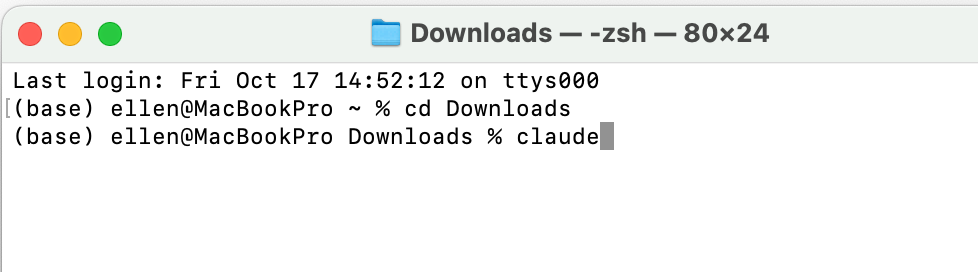
After pressing Enter, Claude can run in my Downloads folder.
Ran into problems? Just send the error message to Claude (web version), and its solutions are usually quite reliable.
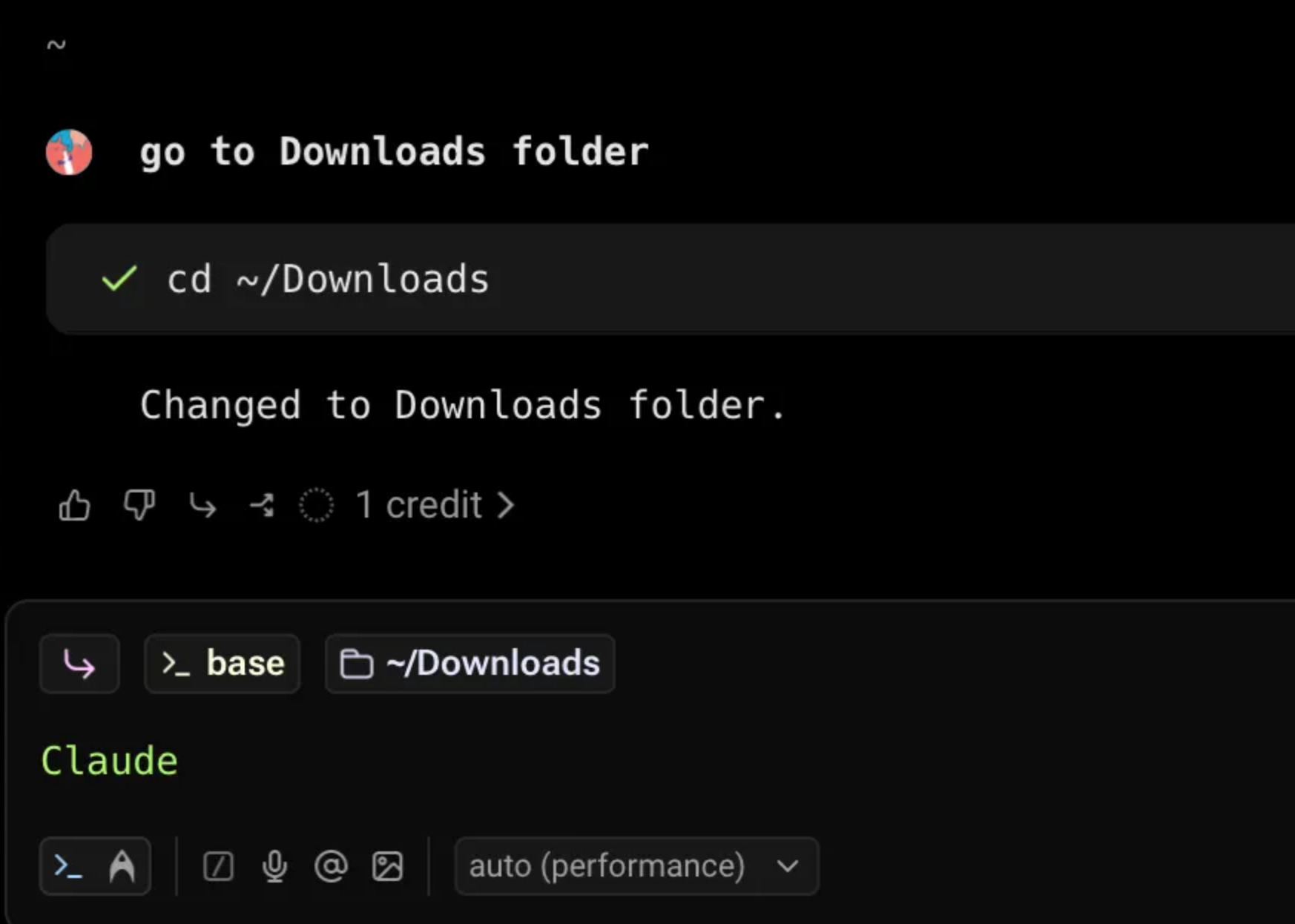
Recommended Tool: Warp Terminal
Highly recommend using Warp! It’s a terminal with built-in AI, user-friendly interface, and supports natural language input. For example, you can just say “go to Downloads folder” without having to remember those complex paths. It’s a lifesaver for non-tech or anyone unfamiliar with command lines.
How I Use Claude Code:
Claude Code is incredibly powerful. I have to say I’ve barely scratched the surface of what it can do.
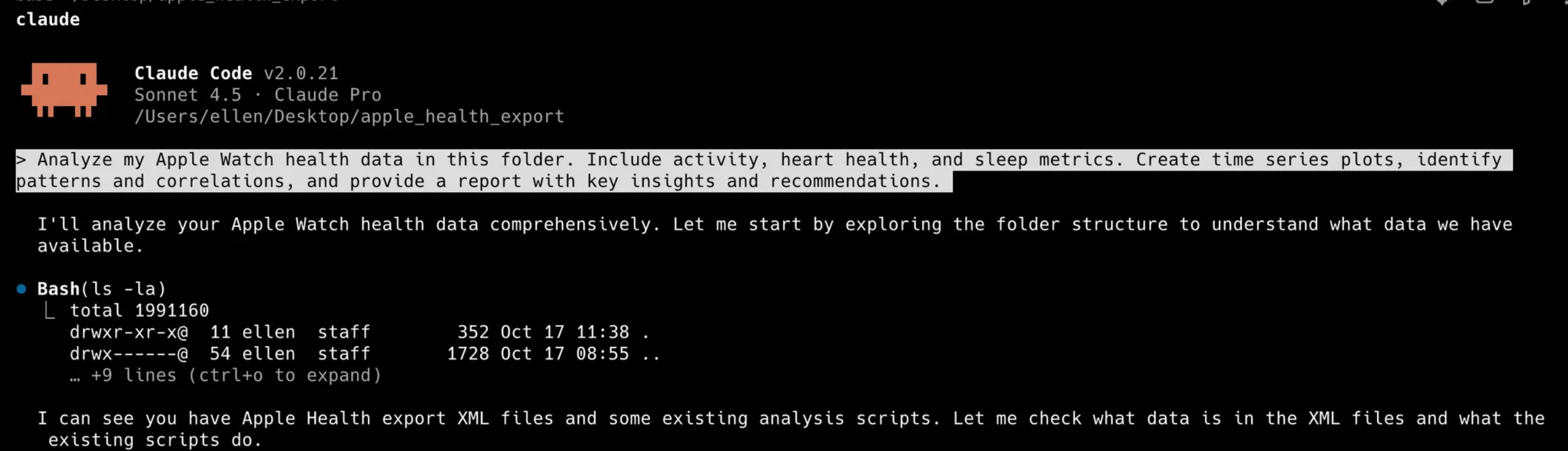
1. It helps me with data analysis – just give it a folder, prompt it, and you’re done
2. Obsidian + Claude Code
Obsidian is a local notebook app. Because it’s local, we can let Claude fully manage this notebook.
Here’s an excellent video explaining how to integrate them:
For example, I’m currently learning Python. I directly asked Claude Code to turn Pandas’ Cheatsheet into a Note. After it generates the content, I can tell it things like “This part is too detailed, simplify it,” “Expand more on the GroupBy section,” “I’ve mastered this part, delete it.”
3. With no technical background, I made a website.
https://www.mygrowthstack.io/
It is to solve my own needs. I was learning growth analytics and all the notes are scattered in my Notion. It’s hard to revisit them.
So with Claude Code together, we tried out several solutions and landed this website. It’s so easy to navigate now.
4. Mock interview partner
Put job description, resume, company research results, and all others you can think of into a folder and give Claude access to it. Then ask Claude to find your strengths and weaknesses for this role, prep interview questions, and check your answers.
5. Organize files and folders, and delete duplicate files
6. I might want it to help me organize photos – I haven’t started this project yet, so I am not sure how well it will work
Your creativity is the limit.